Multiple printers, multiple connection types
Register cashier, kitchen, and bar printers together over the network (TCP/IP), Bluetooth, or USB cable, with 58 mm or 80 mm paper. The POS only needs to name the destination printer.
 Elang Print Service
 Manage cashier, kitchen, and bar printers from one app. Every order joins a queue for its printer, is retried automatically when the printer is busy, and never prints twice. Elang Print Service is the print bridge between web-based POS software and ESC/POS thermal printers, and it replaces third-party print apps.
Android 8.0+ (Android 10–16 recommended) · version 0.8.1 · 2.4 MB · installs directly from the APK file
Need help installing? Talk to Us on WhatsApp →
The home screen tells you at a glance whether the print service is running, and lists each printer with its connection type, paper width, and condition. The images below are real screenshots of the app with sample data.
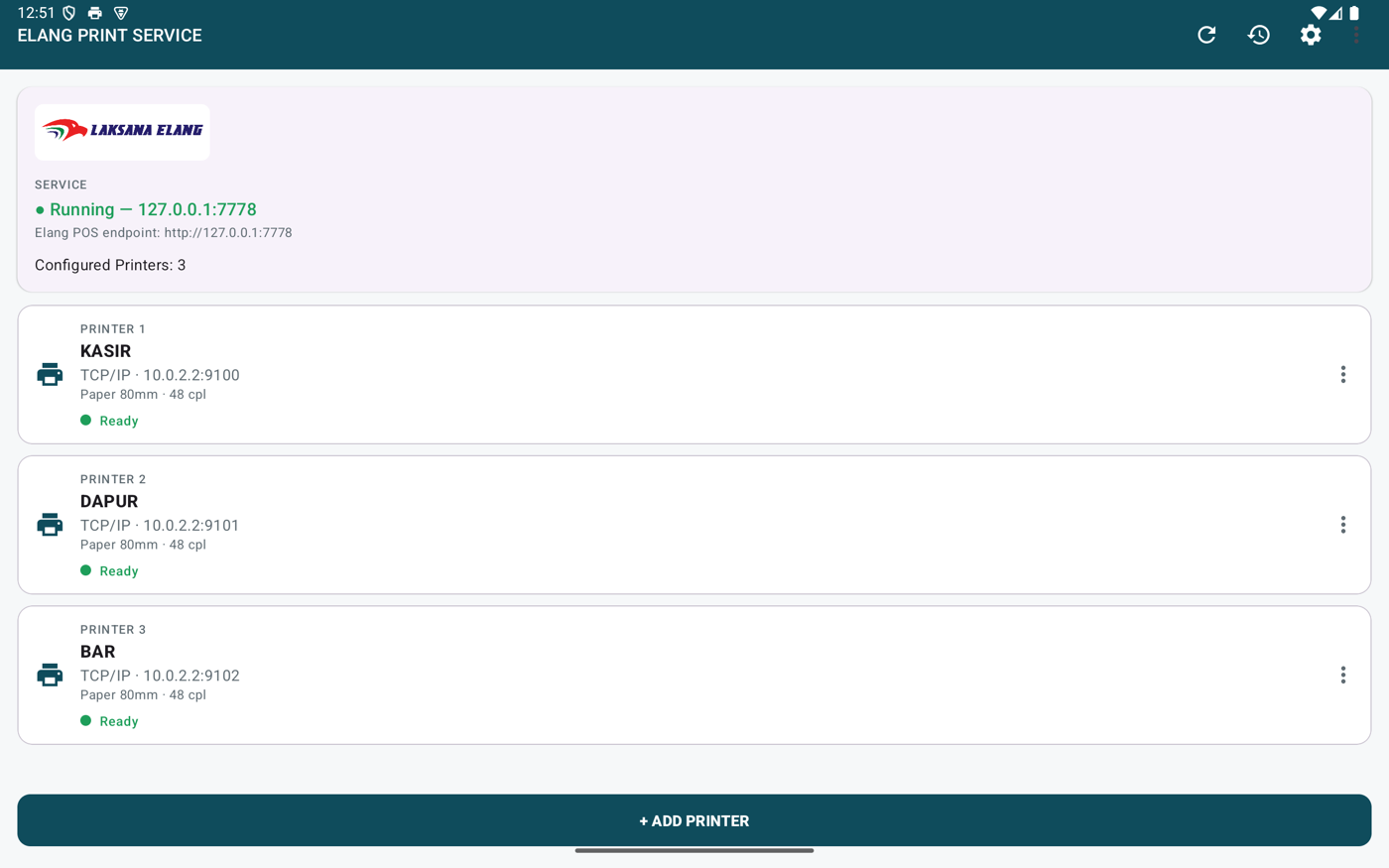
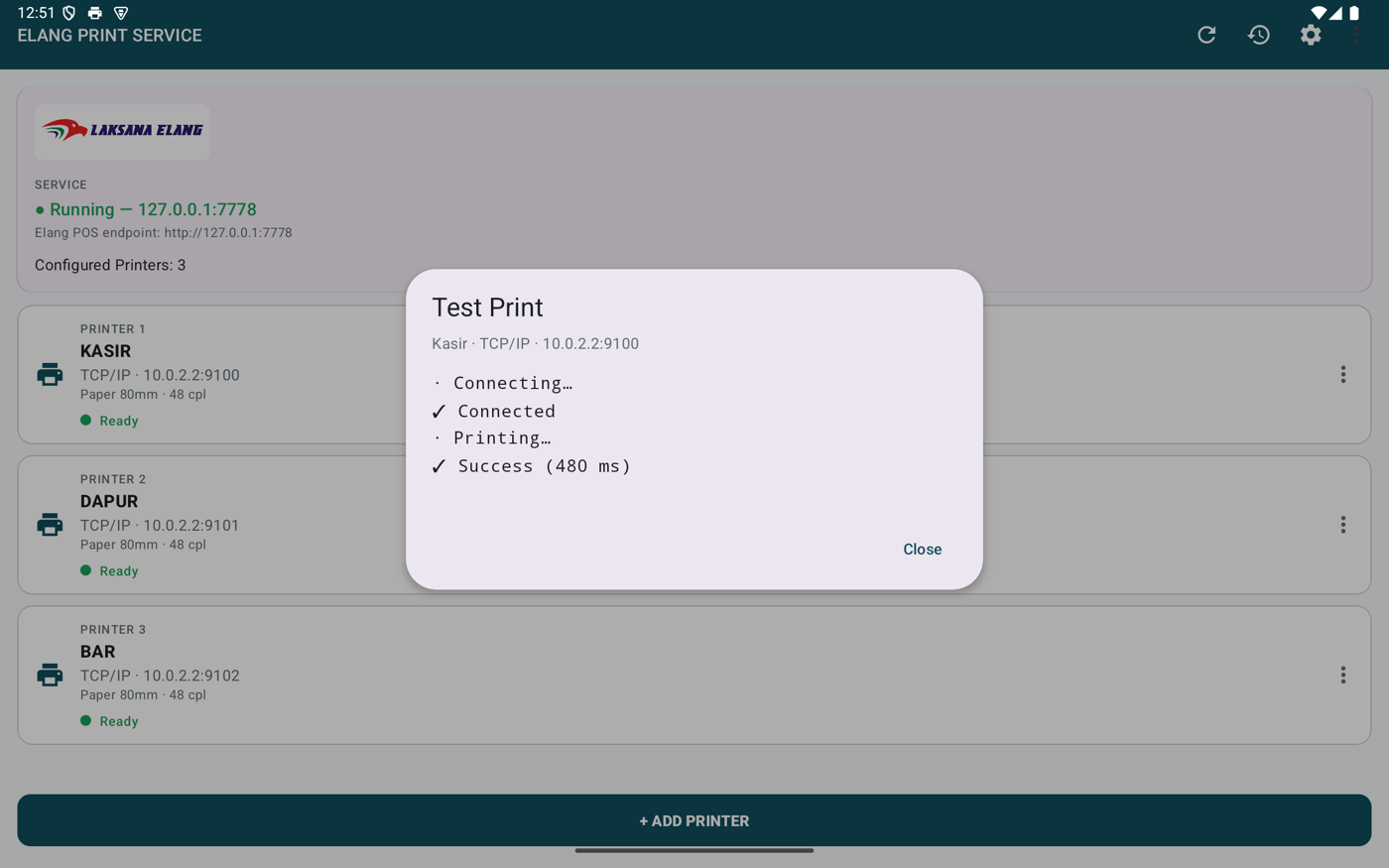
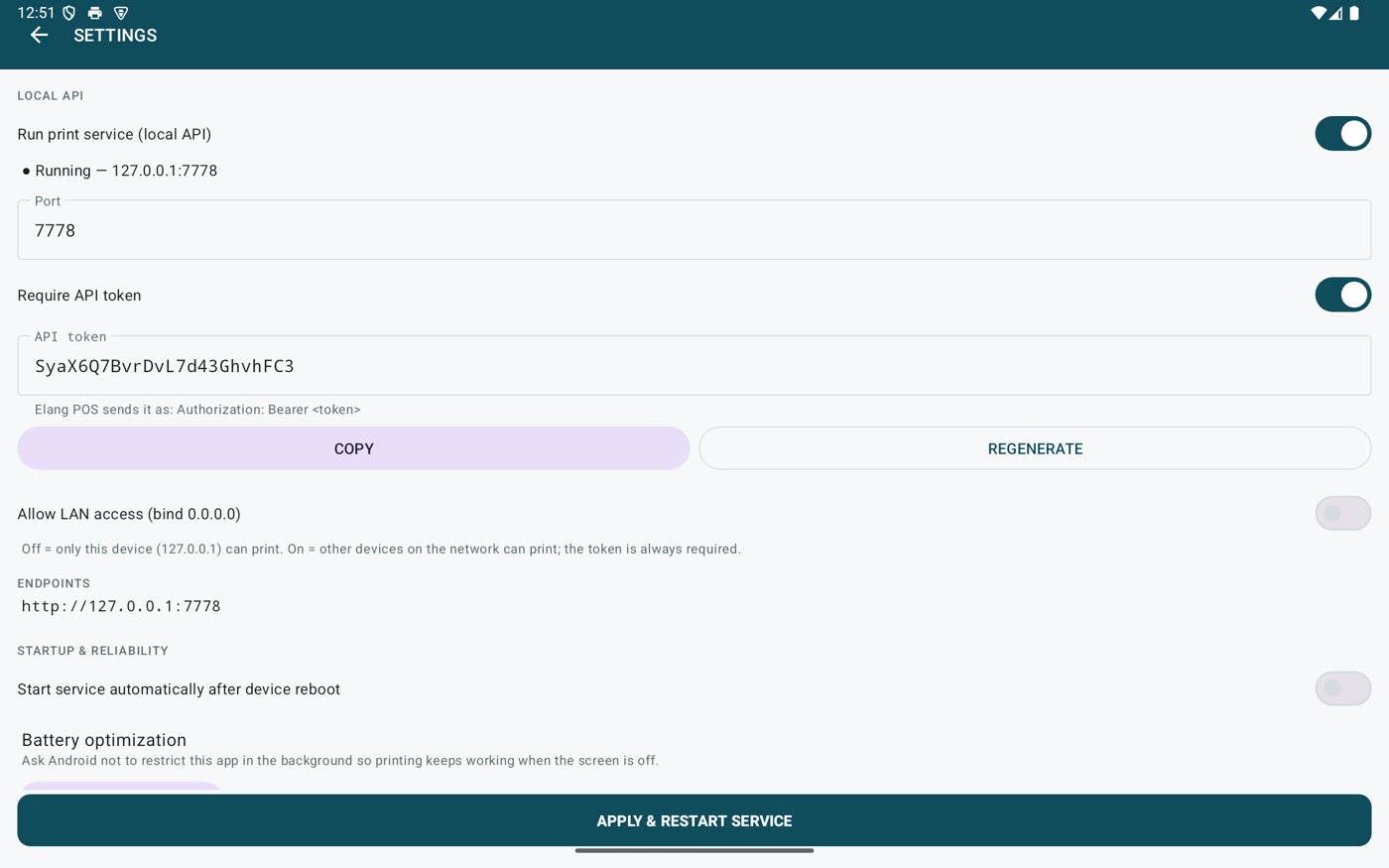
We built this app for Elang Resto OS and Elang ERP POS customers who run their cashier on Android tablets. It has one job: receipts and kitchen orders print reliably, with no one stepping in.
Register cashier, kitchen, and bar printers together over the network (TCP/IP), Bluetooth, or USB cable, with 58 mm or 80 mm paper. The POS only needs to name the destination printer.
Orders for the same printer print in sequence, while other printers keep working at the same time. Printer busy or briefly disconnected? Printing is retried automatically.
Every transaction carries a job number. If the print button is tapped twice or the page reloads, a receipt that has already printed does not print again. Cashiers can still reprint when they ask for it.
The print service stays active when the app is closed, starts again after the tablet restarts, and always shows its status in the notification bar. Print history is kept for troubleshooting.
Download the APK on this page, open the file on the Android tablet, and allow installation from this source when asked. Once open, allow notifications so the service status stays visible.
Tap Add Printer, give it a name (e.g. Cashier), and choose the connection: an IP address for a network printer, a paired device for Bluetooth, or a detected USB printer. Tap Test Print to confirm a receipt comes out.
Open Settings, copy the access token, and paste it on the printer settings page in Elang POS. From then on, every transaction prints automatically to the selected printer.
Elang Print Agent is the Windows version of Elang Print Service. Elang POS connects to both in the same way, so one restaurant can combine a Windows cashier PC with Android tablets. For example, the cashier PC prints receipts and kitchen tickets, while a tablet at the bar prints drink orders.
Windows 10 / 11 · version 1.4.0 · 29 MB · extract, then run ElangPOS_Agent.exe (instructions included)
The warning appears because the app is installed outside Google Play. The file on this page is published directly by Laksana Elang and digitally signed under the package name id.laksanaelang.printservice. Always download from the official laksanaelang.web.id website and choose "Install" when prompted.
Any thermal printer that understands ESC/POS commands. Nearly all 58 mm and 80 mm receipt printers on the market use this standard, including Epson, Xprinter, Iware, Panda, and other brands. Connections can be over the network, Bluetooth, or USB.
Yes. A single transaction can send the receipt to the cashier printer, food orders to the kitchen printer, and drink orders to the bar printer at the same time. Print destinations are set in the POS; Elang Print Service does the printing.
The app was built as a companion to Elang POS software. Other web applications can also use it through the same local print interface, and our team can help with the integration if needed.
No. The app only keeps a print-job history (time, printer, status, error notes) for troubleshooting. Receipt contents are not stored once printing completes.
Not by default. The service only accepts requests from the same tablet, and every request must carry the access token. Access from other devices on the network is opened only if deliberately enabled in Settings, and still requires the token.
Download Elang Print Service, register your printers, and connect to Elang POS in a few minutes. Need help installing, or have questions about Elang POS software? The Laksana Elang team is ready to help on WhatsApp.